62
62
Fixing Canvas Google Authentication
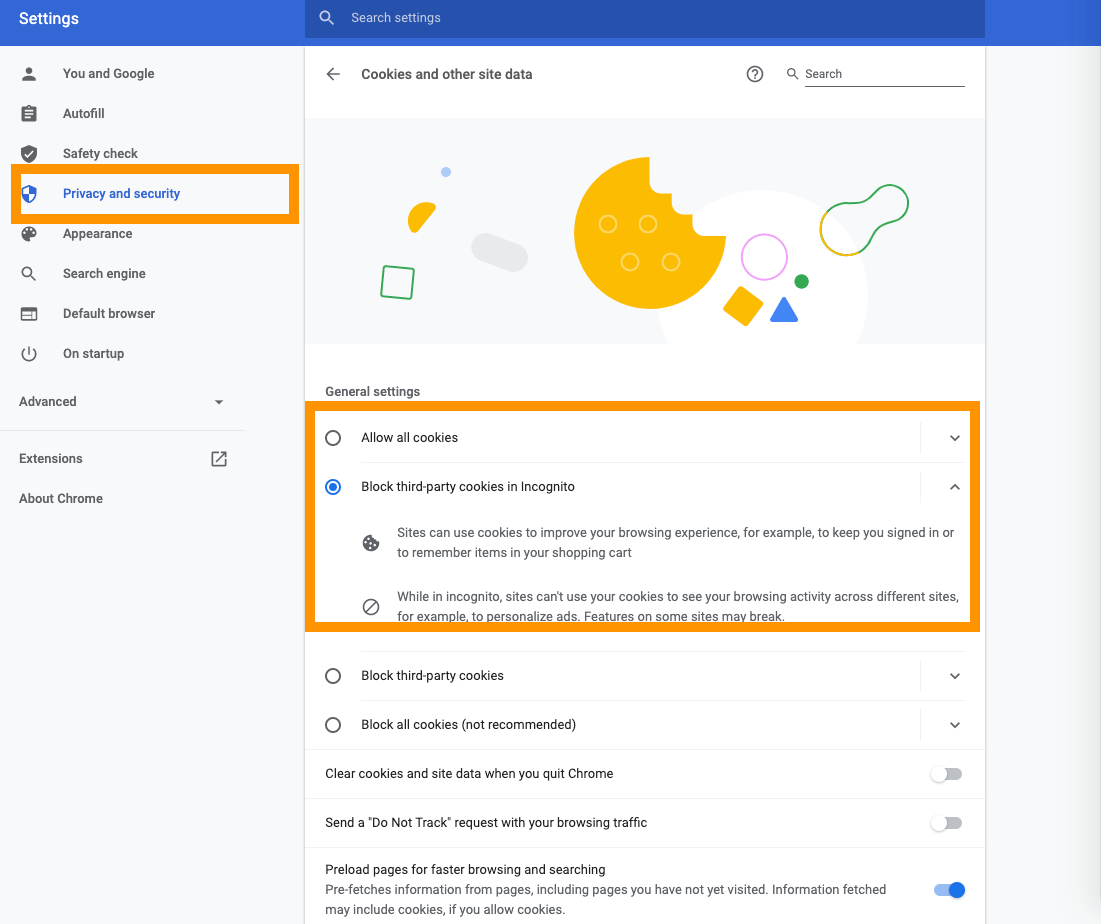
1. Press the the 3 Dot Button on your top right corner of Chrome ----> Then proceed to press Settings ----> After once your in the Settings then I would like you to click on Privacy and Security ----> From there you will see something called Site Settings ----> Then click on Cookies and Site Data (Your first option) ----> If Block Third Party Cookies is enabled then this is the cause of your problems, simply Disable it and reset your pages
That is what helped me pass the Google Drive Authorization
You need to pick Allow all cookies or Block third party cookies in Incognito.
For some students, they also need to complete step 2.
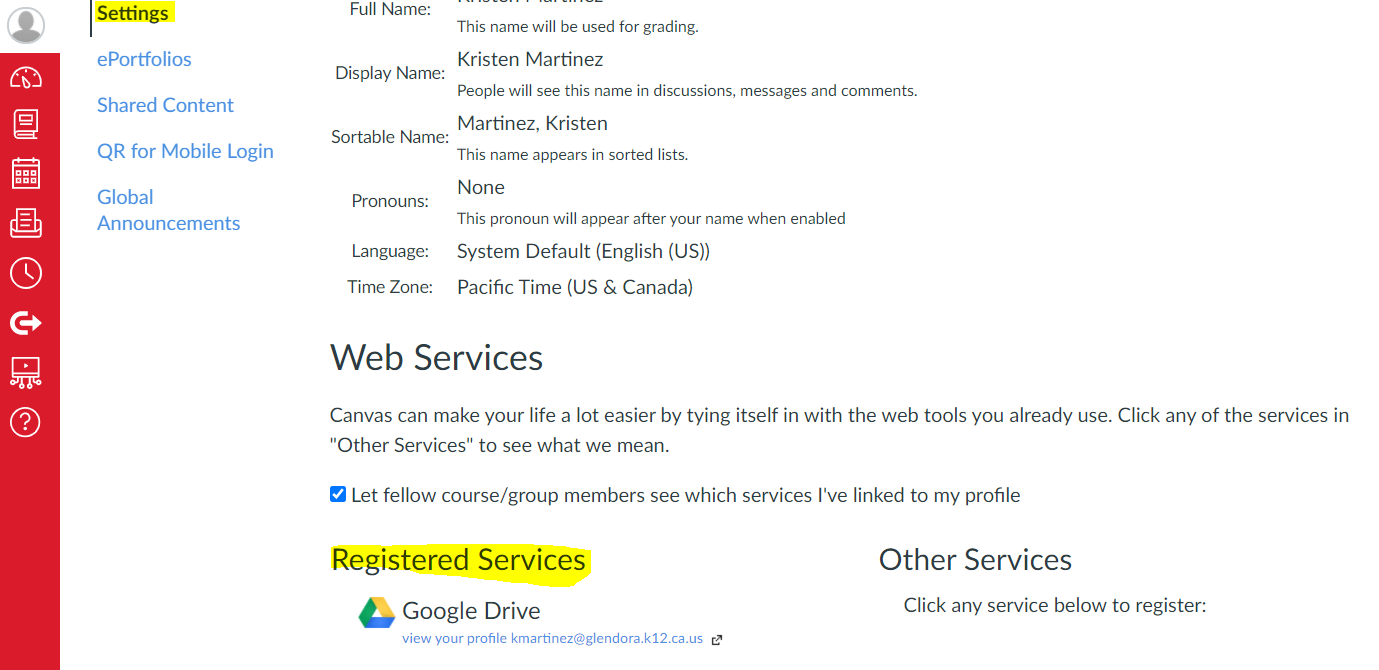
2. While in Canvas, click Settings. Scroll down to Web Services. If Google Drive is not under Registered Services the students need to click on the Google Drive icon under Other Services and follow the prompts to register their Drive.